
How people work with MachineWatch.
Your team sets it up in the portal. People on the floor see and hear it. Supervisors review what happened, and engineers connect it to the machine.
Your team sets it up in the portal.
-
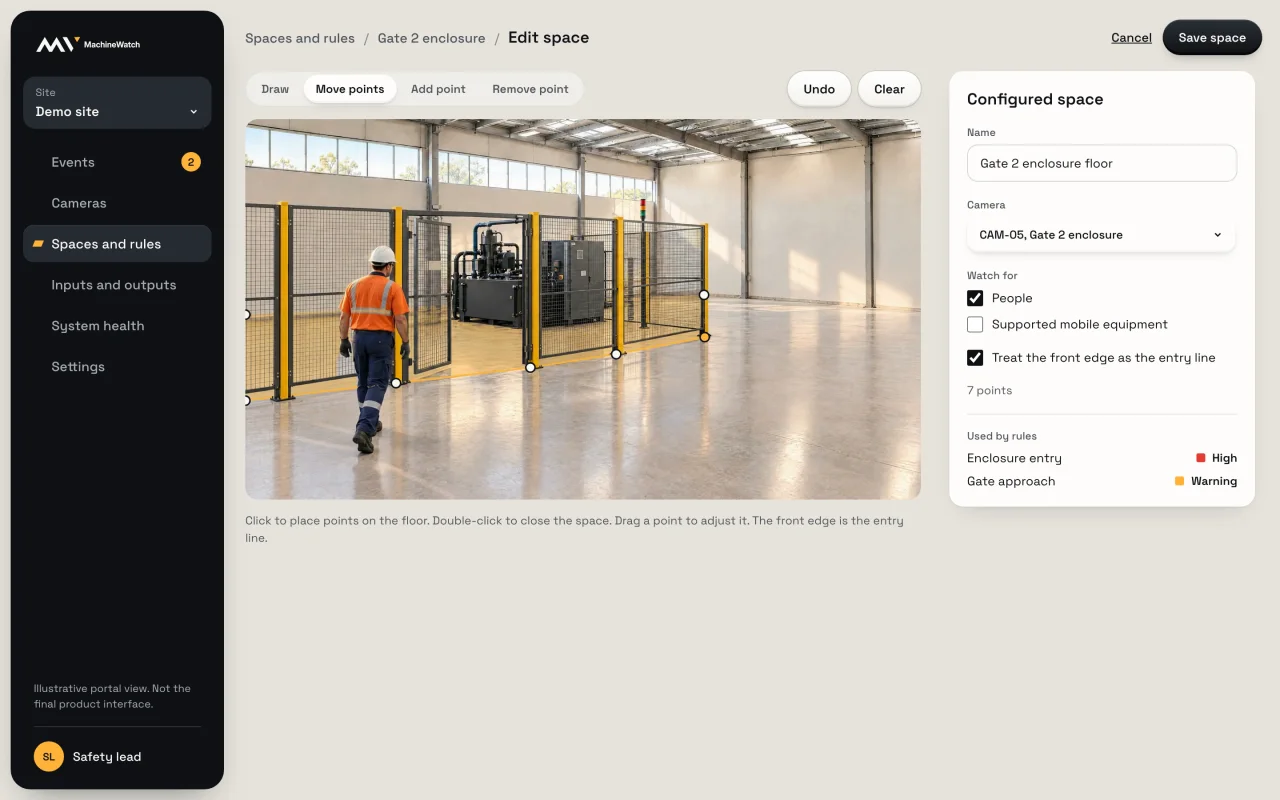
Draw the space
Place points on the floor in the camera view. The space follows the real floor.
-
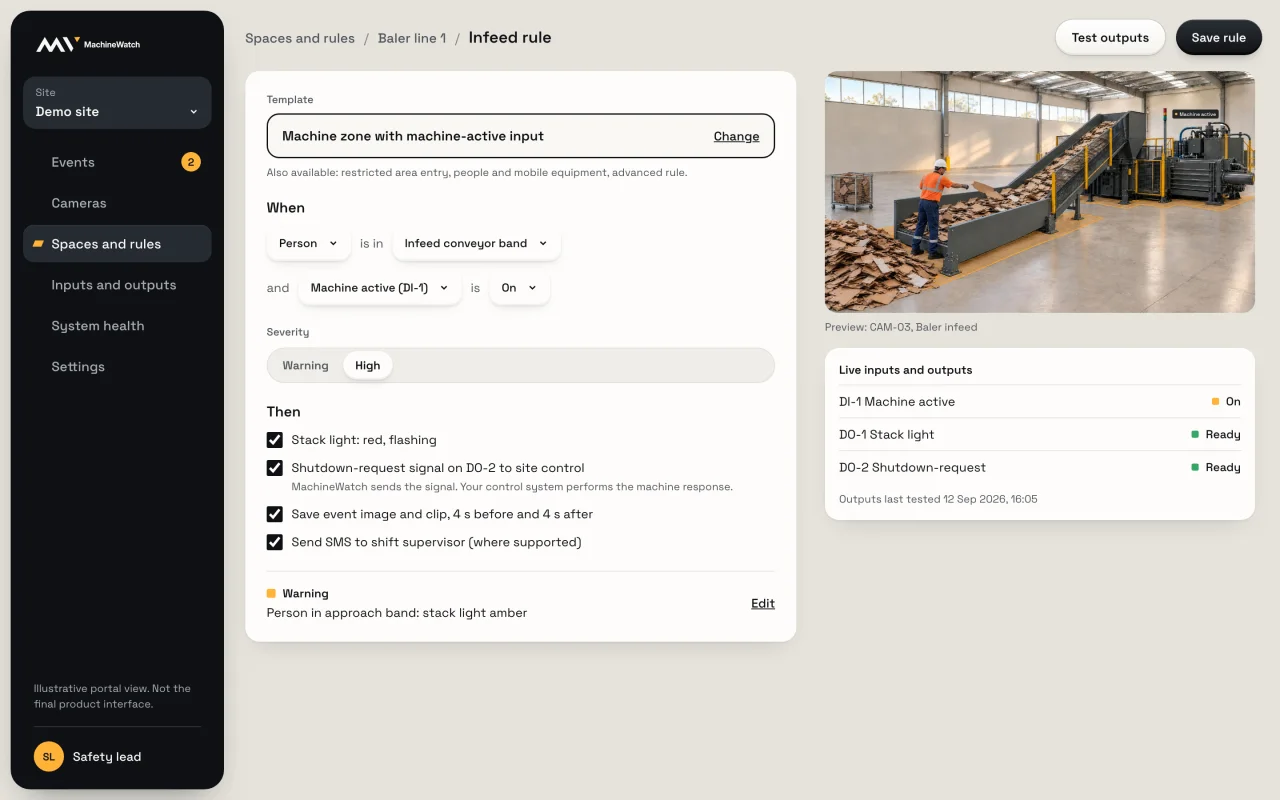
Choose a rule
Start from a template: machine zone, restricted area, or people and mobile equipment.
-
Add inputs
Connect a machine-active or bypass input where the site provides one.
-
Choose the response
Lights, sirens and outputs, and notifications where supported, set by severity.
-
Test it
Run the outputs before the rule goes live.
What people on the floor see and hear.


A supported stack light, beacon or siren sits at the machine, so the warning happens where the person is. A local active or fault indication can show that MachineWatch is watching.
Review what happened without the search.
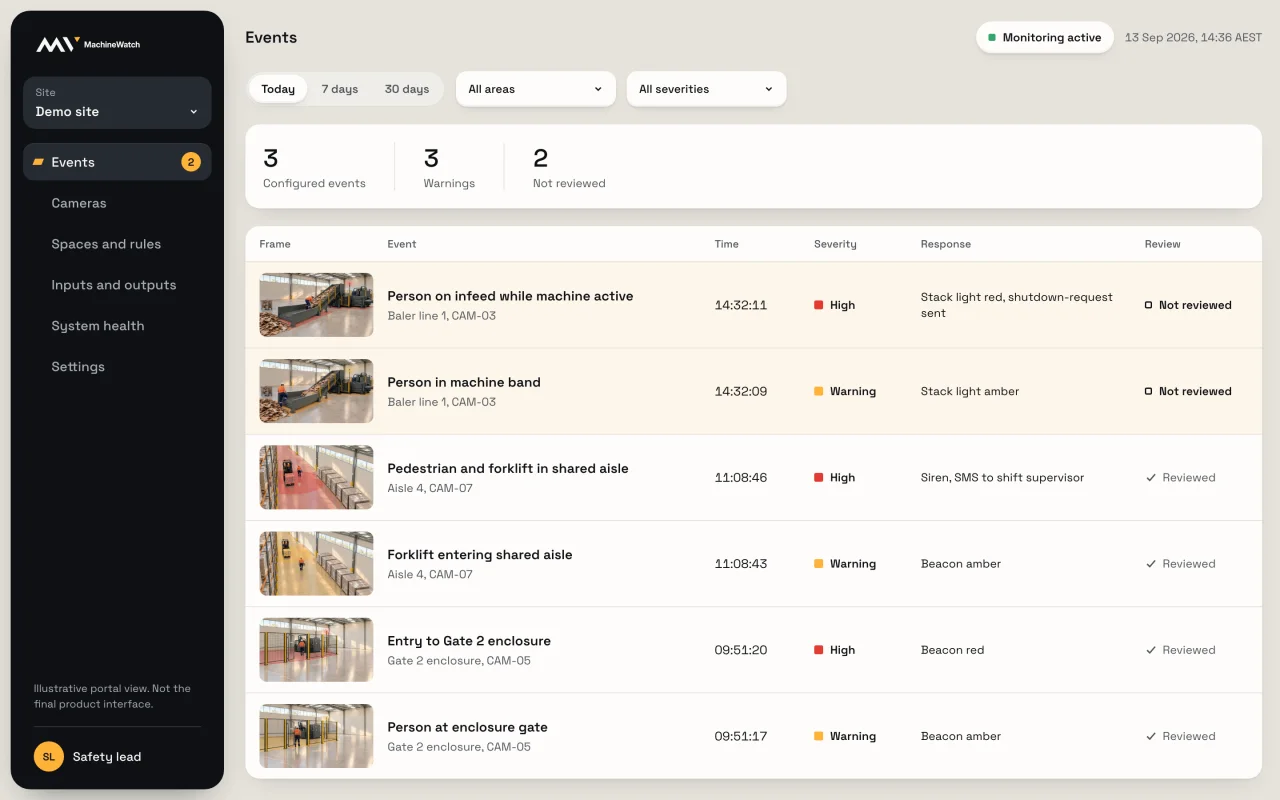
Events
Every configured event and warning in one list, with the frame, the response and whether someone has reviewed it.
Notifications
Email or SMS by severity, where supported, so the right person knows while it is happening.
For controls engineers.
MachineWatch reads machine state through supported inputs and signals through supported outputs. Your control system stays responsible for the machine response.
MachineWatch Your site's machines and systems
Inputs
Rules and events
Outputs
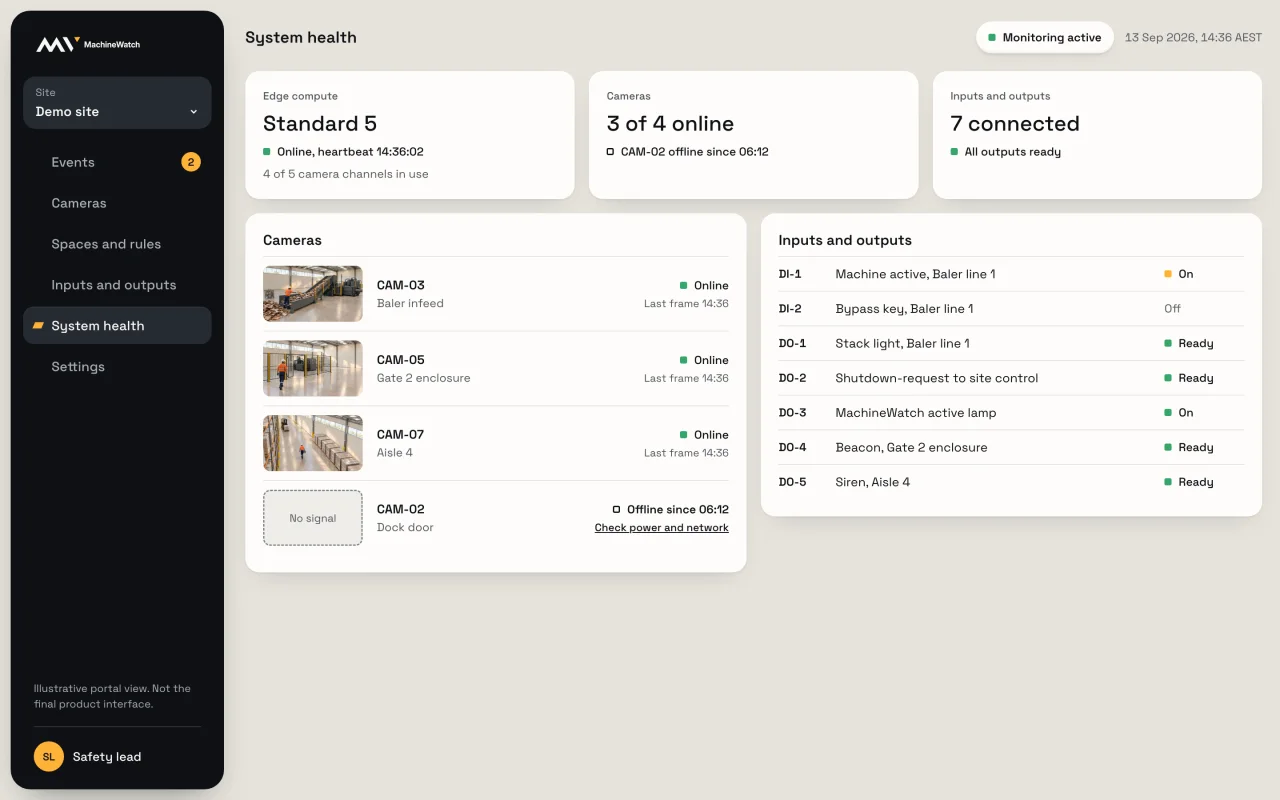
Know it is watching.
Camera availability, compute health and output readiness in the portal, with a local active or fault indication at the machine.